How to Make the Most of Your WotsItCalled Listing
The short answer: claim your listing (or add it if it is missing), fill in every field in your own words, and keep it current. Customers use your listing to decide whether to call you, visit your website or walk through your door, so the details on it are doing a job for you every day. It is all free, and it will stay free. You can edit your listing as often as you like, so keep it up to date and it will not go stale.
WotsItCalled lists 16,773 UK businesses, many of them created from publicly available data. A listing built that way is a starting point. The owner knows what the business actually does, which areas it covers and how customers should get in touch, and this guide shows you how to put that on your listing.
Step 1: Find your listing and claim it
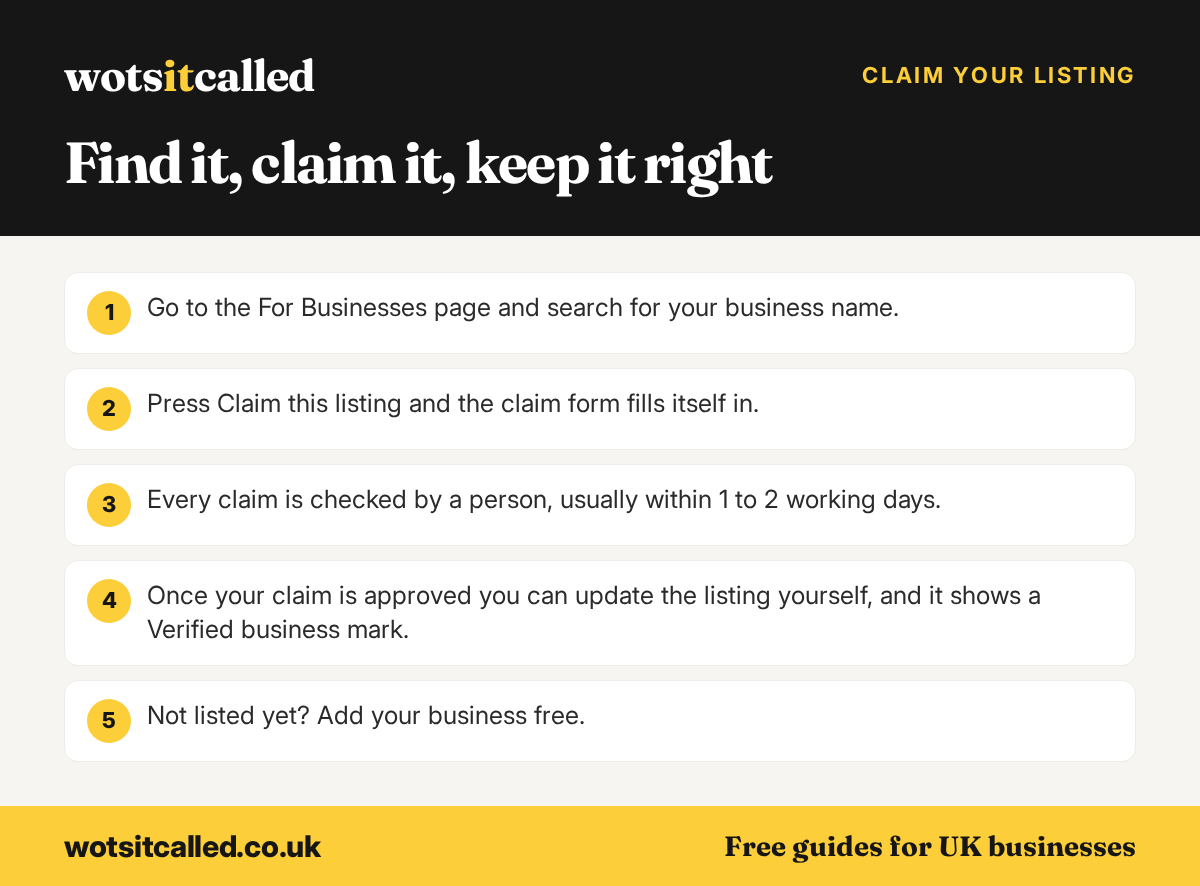
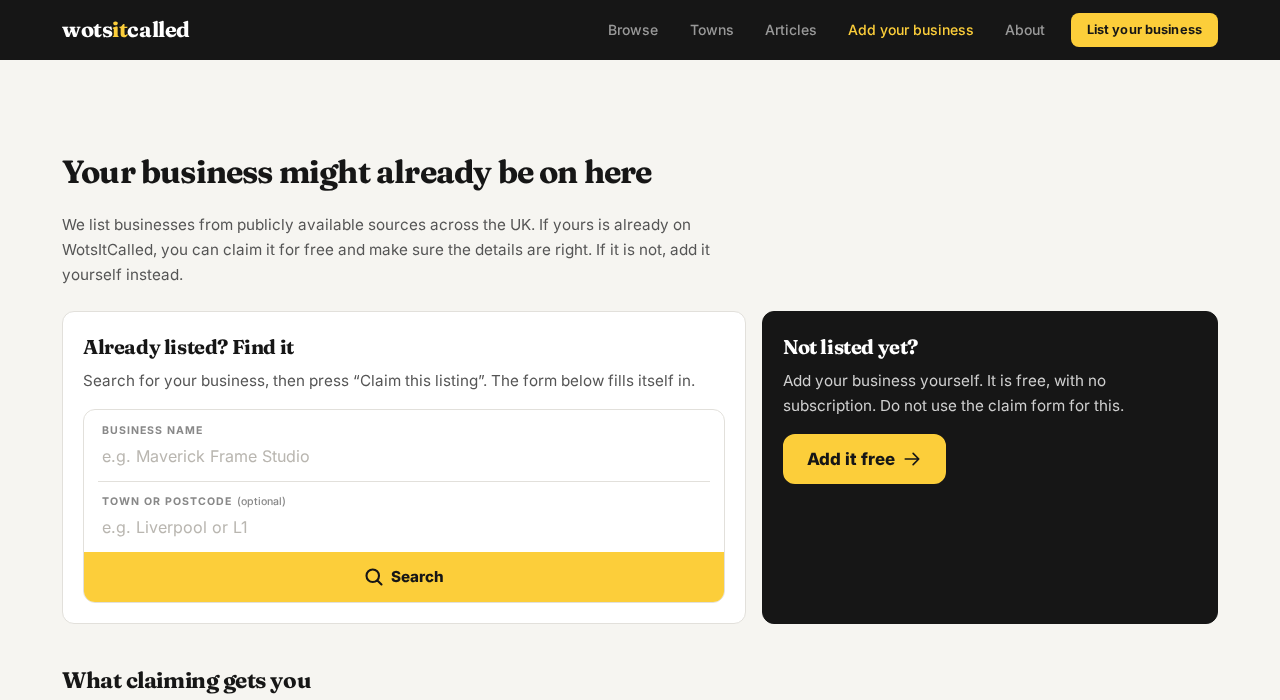
Go to the For Businesses page and search for your business name. You can add your town or postcode to narrow the results. If your business appears, press Claim this listing and the claim form fills itself in with the listing you chose.
Every claim is checked by a person before it is approved, usually within 1 to 2 working days. That check is there to stop anyone else taking control of your listing. Once your claim is approved you can update the listing yourself, and it shows a Verified business mark.
Not listed yet? Add your business free
If the search does not find you, press Not listed? Add it free. It is one form: your business details, then your name and email address, which create your account at the same time. Do not use the claim form to ask for a new listing; the add form is quicker.
WotsItCalled is for UK businesses only. Your business needs a real UK address and a UK phone number, and every new listing is checked by hand before it goes live. Use your trading name as the title, for example “Hartley & Sons Plumbing” rather than “Plumbers in Leeds”. Titles written as search terms are changed to the trading name, or the listing may be declined.
Step 2: Complete every field, and why each one matters
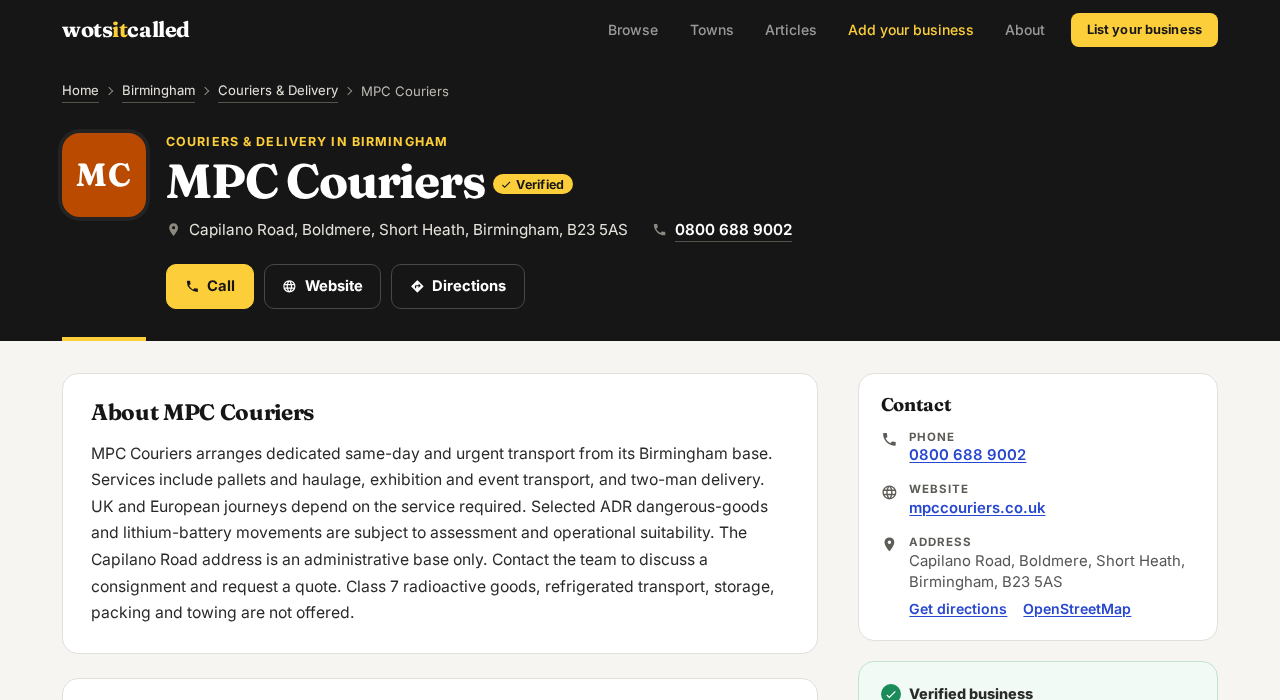
A complete listing answers the questions a customer has before they contact you. Here is what you can fill in, and what each field does on your listing.
Business name
Your trading name, as customers know it. It is the first thing people see on search results, town pages and your listing, so it should match your signage, invoices and website.
What you do, in your own words
A few lines about your business: what you offer and the areas you cover. This is the field that most often starts as general text written from public data, and it is the one that benefits most from your own words. Say what you specialise in, which jobs you take on, any qualifications or memberships customers ask about, and the towns or postcodes you serve. Plain and specific beats long and general.
Category
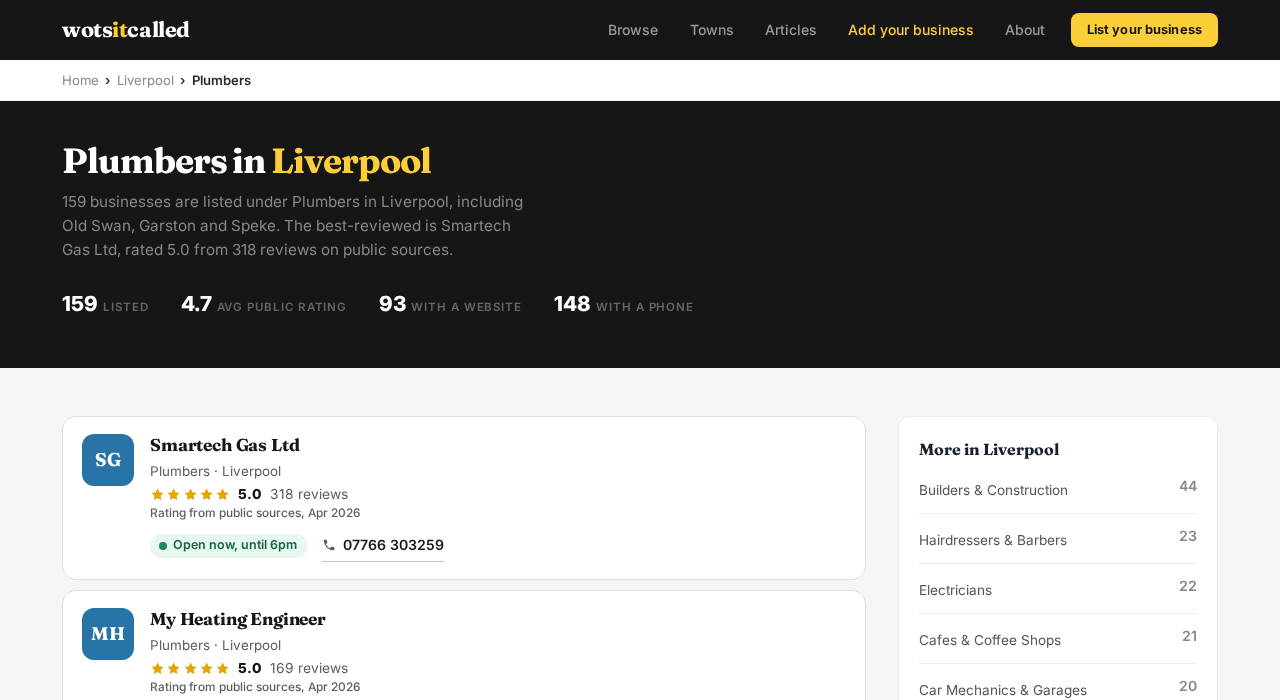
Pick the one category that fits your business best. Your category decides which town and trade page you appear on, such as Plumbers in Liverpool, so the most accurate choice is the one that puts you in front of the right customers.
Address
Your business street address. Town pages are built from postcodes, so a correct address and postcode put you on the right local pages, and the address powers the Directions button on your listing.
Phone number
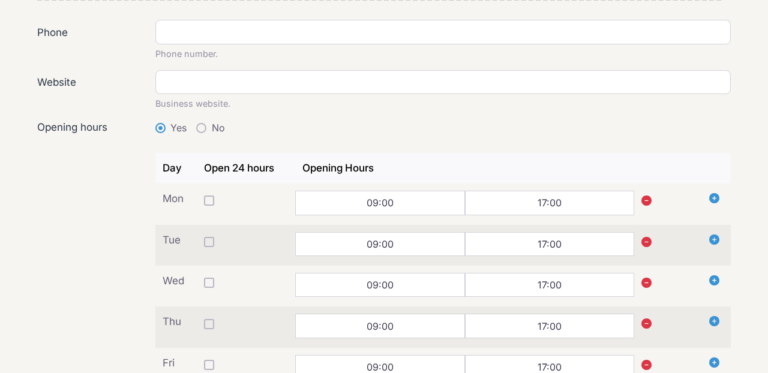
With a phone number on your listing, people browsing on a phone get a Call button, so they can ring you in one tap. Use the number you actually answer during business hours.
Website
Adding your website gives your listing a Website button. Link to your homepage or the page that best explains your services, and keep the address current if your website changes.
Photos
Upload photos of your business: your shopfront, your premises, your team or examples of your work. Listing cards on search results and town pages show your photo instead of a letter tile, which makes your business easier to recognise. Use real, current photos rather than stock images.
Email and tags
An email address gives customers another way to reach you. Tags are optional words that describe your services, separated by commas.
Opening hours
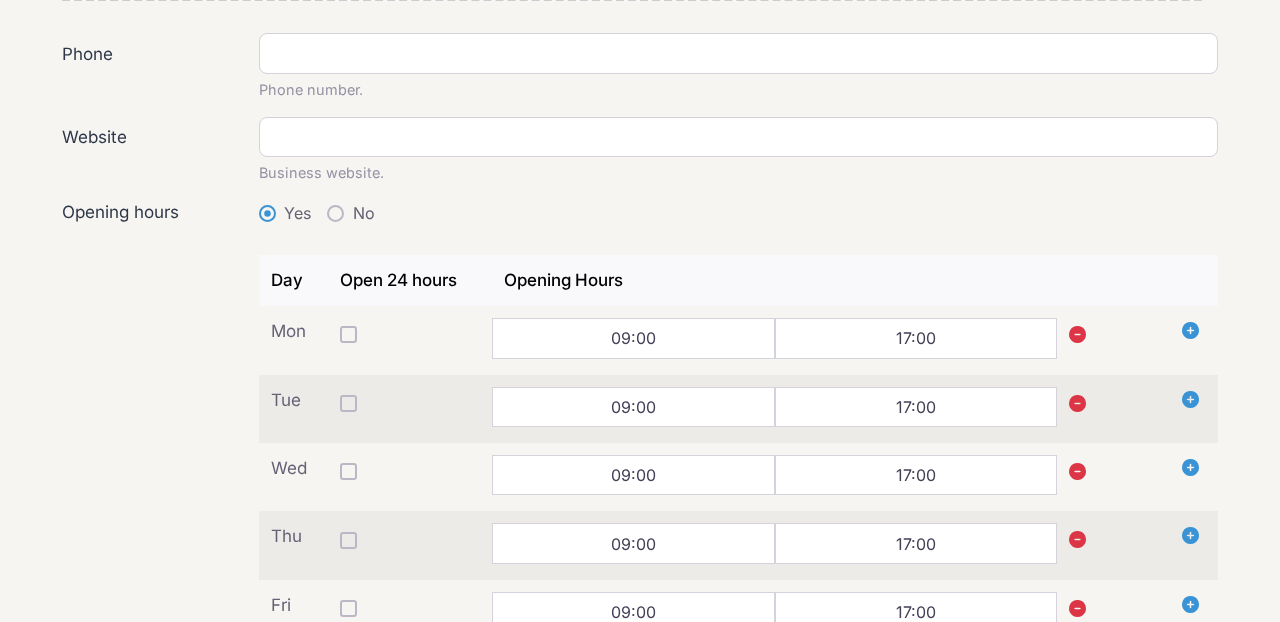
Opening hours power the Open now label on your listing, so customers can see at a glance whether they can reach you. Add them in the Opening hours field when you add or edit your listing: set Yes, then the open and close times for each day, with a second slot for a split day and no slot for the days you are closed. Many listings already show hours from public data; when you edit your listing those hours are filled in for you, so you only need to correct them.
What WotsItCalled adds to your listing for you
- A Verified business mark once your claim is approved, with a note that the owner keeps the listing up to date.
- Ratings with their source. Star ratings copied from public sources are labelled as such, with the month they were collected. Reviews left on WotsItCalled by your customers are shown on your listing too.
- Public records. For many food businesses, the listing shows the Food Standards Agency hygiene rating with its inspection date, in a “Checked against public records” card.
- Town and trade pages. Your listing appears on your town page and your town and trade page, which show businesses with the best ratings first.
To be clear about what claiming does and does not do: every listing is shown the same way, claimed or not. Claiming does not move you up the page. What claiming changes is control, so your details, photos and description are right.
Step 3: Ask customers for honest reviews
Customers can leave a star rating and a review on your listing. Ask the people you have worked for to share an honest review, using neutral wording, and do not offer anything in return. Paying for reviews, offering incentives or only asking customers you expect to be happy can break UK consumer law, which the government’s guide for businesses explains.
Step 4: Keep it current
A listing is only useful while it is right. Update it when your phone number, website, address or services change, replace photos that no longer show your business as it is, and check it whenever you review your other profiles, such as your Google Business Profile. A short check every few months is enough for most businesses.
Complete listing checklist
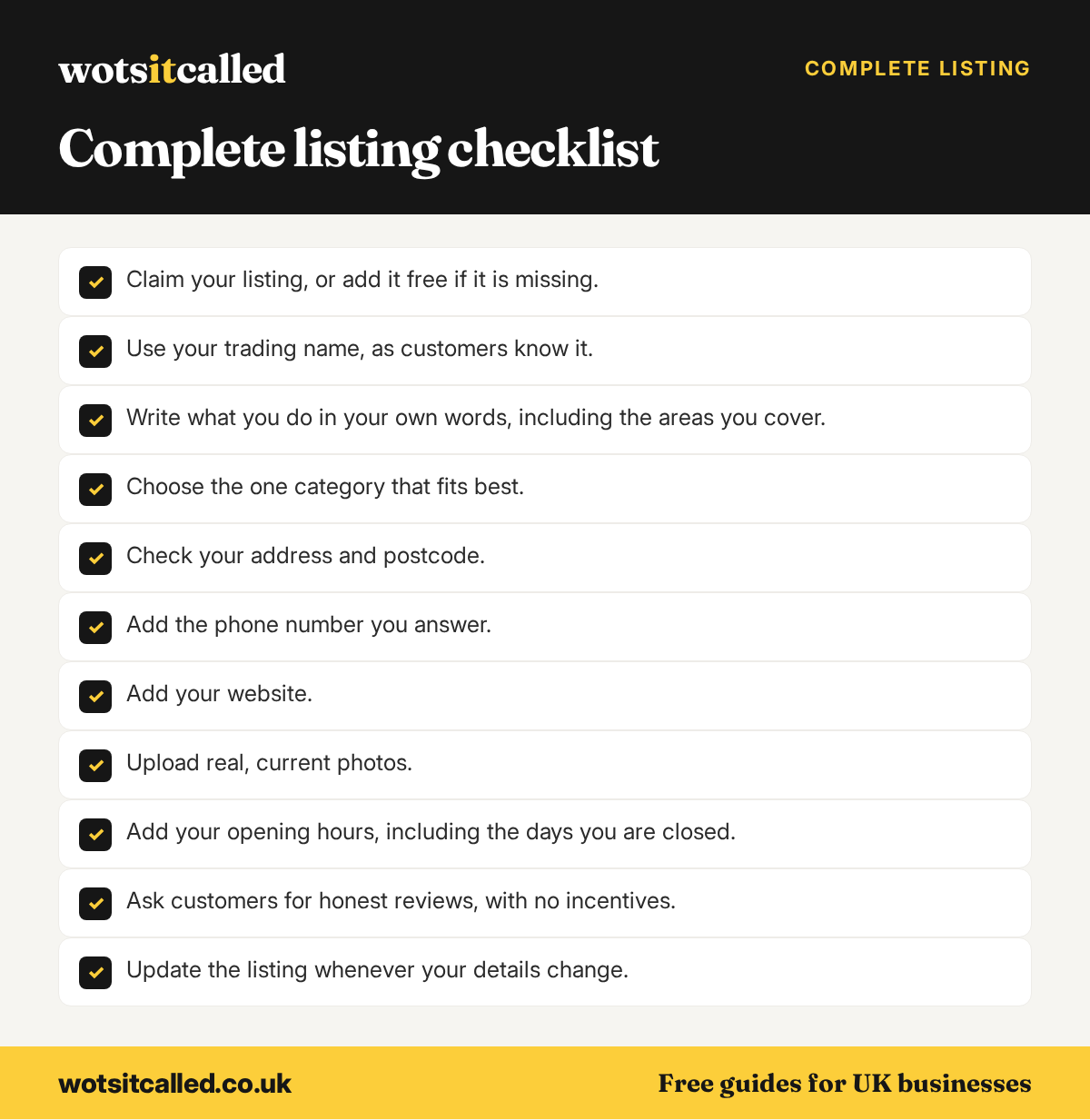
- Claim your listing, or add it free if it is missing.
- Use your trading name, as customers know it.
- Write what you do in your own words, including the areas you cover.
- Choose the one category that fits best.
- Check your address and postcode.
- Add the phone number you answer.
- Add your website.
- Upload real, current photos.
- Add your opening hours, including the days you are closed.
- Ask customers for honest reviews, with no incentives.
- Update the listing whenever your details change.
Ready to start? Find and claim your listing, or add your business free.
Checked against the WotsItCalled site and the sources linked on 7 October 2026.
More free guides for business owners
- How to Get Found on Google as a Small UK Business
- Free Business Listing Sites for UK Small Businesses in 2026
- How to Optimise Your Business Listing
- Is SEO Worth It for a Small Business?